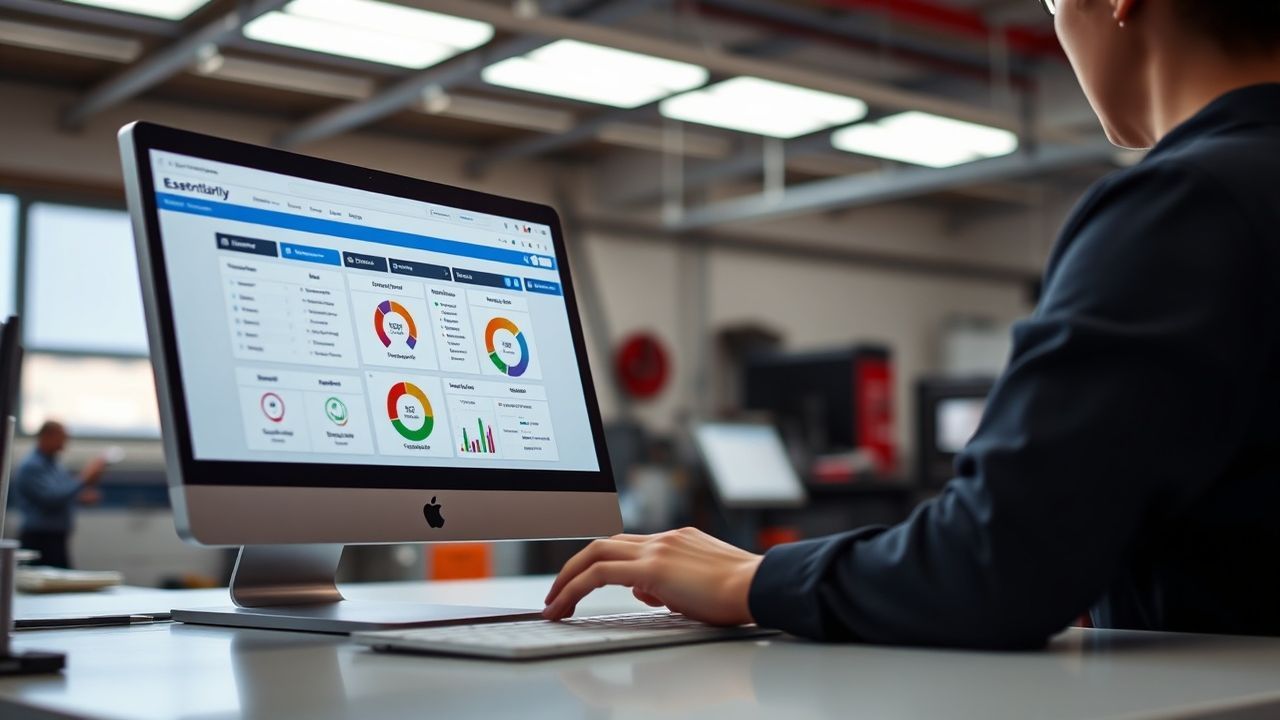
The mobile service world, especially in auto detailing and pressure washing, is changing fast. It’s 2026, and if you’re still relying on paper schedules, scattered spreadsheets, or a mental rolodex for your client list, you’re not just falling behind—you’re leaving serious money on the table. The days of simply showing up and doing a great job aren’t enough for true growth. You need smart tools. Modern businesses, whether they’re sprucing up luxury cars or power-washing grime off commercial buildings, absolutely must have an ironclad system for managing their customers, appointments, and operations. This isn’t about fancy tech for its own sake; it’s about making your business run smoother, delighting clients, and ultimately, boosting your bottom line. We’re talking about essential CRM software, purpose-built for the unique demands of mobile detailing and mobile service businesses.
Why Mobile Service Businesses Need Dedicated CRM Software in 2026
Think about your typical day. You’re probably juggling calls, trying to fit in last-minute bookings, remembering specific client requests, and chasing down payments. It’s a lot. Without a centralized system, mistakes happen. Bookings get double-booked. Client preferences are forgotten. Follow-ups slip through the cracks. This disorganization isn’t just stressful; it directly impacts your reputation and profitability.
A good CRM, or Customer Relationship Management system, isn’t just a digital address book. For mobile service businesses, it’s a command center. It integrates all those disparate tasks into one cohesive platform. Imagine automating appointment reminders, instantly accessing a client’s full service history from your phone, and sending professional invoices on the spot. That’s the power we’re discussing. It’s a game-changer for efficiency and client satisfaction, transforming chaos into clarity. This isn’t just an upgrade; it’s a fundamental shift in how you manage client relationships and daily operations.
Outgrowing Manual Systems: The Cost of Doing Nothing
Many owner-operators start with basic tools. Google Calendar. A notebook. Maybe an Excel sheet. That works for a handful of clients. But what happens when you hit 20 clients? 50? 100? The complexity explodes. You miss calls. You forget to send quotes. A client calls needing a specific detail done just like “last time,” but you can’t recall the exact service or product used. This frustrates clients and makes you look less professional.
The real cost of a poor system isn’t just lost time; it’s lost revenue and reputation. Missed appointments because of forgotten reminders hurt. Clients moving to competitors because you couldn’t recall their preferred wax or specific pressure washing needs stings. Your time is money. Every minute spent on administrative overhead that could be automated is a minute not spent detailing a car, landing a new pressure washing gig, or enjoying personal time. That’s why optimizing your Google Business Profile is only half the battle; you need the internal systems to back it up.
The Benefits: Streamlined Operations and Happy Clients
Implementing dedicated mobile detailing software or pressure washing CRM transforms your business in several key ways:
- Unmatched Efficiency: Automate scheduling, invoicing, and communications. Reduce administrative burden significantly. Your team spends less time on paperwork, more on service.
- Superior Client Management: Every client interaction, every service history, every preference is logged. You know their car, their last service date, their special requests. This personalized touch builds immense loyalty.
- Increased Revenue: Faster invoicing means quicker payments. Automated follow-ups lead to repeat bookings and referrals. Identify your most profitable services and clients.
- Scalability: Ready to hire more technicians? A CRM makes onboarding and dispatching new team members incredibly smooth. Your growth won’t hit a wall of administrative complexity.
- Professional Image: From online booking to branded invoices, a CRM projects professionalism. This trust converts leads into loyal customers.
In 2026, clients expect a seamless experience. They want to book online, receive reminders, and pay electronically. A CRM delivers this expectation, making your mobile service business not just competitive, but a leader in customer experience.
Core Features to Look for in Mobile Detailing & Pressure Washing CRM
Not all CRMs are created equal. For mobile auto detailing and pressure washing businesses, specific functionalities are absolutely non-negotiable. You’re not just managing leads; you’re managing mobile crews, physical locations (your clients’ driveways), and dynamic schedules. Let’s break down what truly matters.
Intuitive Appointment Scheduling & Dispatch
This is where the rubber meets the road. Your schedule is the heartbeat of your business. A good CRM makes scheduling effortless, not a headache. It needs to handle the intricacies of mobile services.
- Online Booking Portals: Clients should be able to book services directly through your website, 24/7. This frees up your phone lines and captures bookings outside business hours. It’s a must-have for modern convenience. Many mobile service businesses integrate this directly into their professional website design services.
- Automated Reminders: Say goodbye to no-shows. The system sends automatic SMS or email reminders to clients before their appointment. This drastically reduces cancellations and keeps your crew productive.
- Drag-and-Drop Calendar: Easily view, edit, and reassign jobs. Visualizing your day or week makes dispatching simple.
- Route Optimization: This is huge for mobile services. The software should help you plan the most efficient routes between jobs. Save time. Save fuel. Maximize your crew’s productivity.
- Team Management & Dispatch: Assign jobs to specific technicians. Track their location. See their current status. Your whole team stays on the same page, in real-time.
- Buffer Times & Travel Gaps: The system should intelligently account for travel time between appointments and allow for necessary setup/teardown. No more rushed jobs or late arrivals.
Effective spotting the “chronic canceller” and optimizing appointment slots are direct benefits of a well-integrated scheduling system.
Robust Client Management & History Tracking
Knowing your clients isn’t just nice; it’s a competitive advantage. This goes beyond just a name and phone number.
- Detailed Client Profiles: Store everything. Contact info, vehicle make/model/year, specific detailing preferences (e.g., “always use ceramic coating,” “customer prefers eco-friendly products”). For pressure washing, note property specifics or previous problem areas.
- Service History Log: Every service performed, every product used, every note from a technician—all recorded. When a client calls, you immediately have context. This ensures consistency and quality.
- Communication Logs: Keep track of all emails, texts, and even phone call summaries. No more wondering who said what or when.
- Targeted Marketing & Automation: Use client data to send personalized promotions. Offer a discount on their next detail six months after their last. Send a “winterizing wash” special. Automated campaigns keep your brand top-of-mind.
- Feedback Collection: Automatically request reviews or feedback after a service. This helps with quality control and allows you to address concerns internally before they become public issues. This is your bad review shield: catching unhappy clients before they post.
Imagine being able to greet a repeat client by name and immediately know their car’s history, even if a different technician serviced it last. That’s powerful customer service.
Integrated Payment Processing & Invoicing
Getting paid shouldn’t be complicated. A CRM with integrated payment solutions simplifies the financial side of your business, ensuring you get paid quickly and efficiently.
- Mobile Payment Options: Accept credit cards, debit cards, and digital wallets right on site via a mobile app or card reader. This provides ultimate convenience for your clients and instant payment for you.
- Digital Invoicing: Generate and send professional, branded invoices directly from the field. Clients receive them instantly via email or text. Track outstanding invoices with ease.
- Recurring Billing: For retainer clients or regular maintenance programs, set up automated recurring payments. Set it and forget it.
- Deposit & Quote Management: Easily create and send detailed quotes. Require deposits for larger jobs to secure bookings and cover initial expenses.
- Expense Tracking: Some CRMs offer basic expense tracking for supplies, fuel, or payroll, giving you a clearer picture of job profitability.
Faster payments improve cash flow. Automated invoicing reduces the chance of errors. It’s about optimizing your entire financial pipeline, making sure the effort you put in translates directly into deposited funds.
Field Service Management Capabilities
Because you’re on the go, the software needs to be too. Field service management (FSM) features are specifically designed for businesses operating outside a traditional office.
- Technician Mobile App: This is central. Your crew needs an app that works on their smartphone or tablet. It should display their daily schedule, client details, job notes, and allow them to mark jobs complete. Offline capabilities are crucial for areas with spotty service.
- Job Site Photos & Notes: Technicians can take before-and-after photos, add specific job notes, or flag issues directly within the app. This provides accountability and a visual record of work.
- Inventory Tracking (for Supplies): Keep tabs on your detailing products, pressure washing chemicals, and tools. Know what’s running low before you run out. Assign inventory to specific jobs or technicians.
- Real-Time Updates: As jobs are started, paused, or completed, the office (or you, if you’re a solo operator) gets real-time notifications. This allows for dynamic adjustments to the schedule.
- Custom Forms & Checklists: Create digital checklists for specific services to ensure consistency and quality control across all jobs and technicians.
These features empower your field team, giving them all the information they need to perform excellently without needing to call the office constantly. It’s about operational independence while maintaining central oversight.
Reporting & Analytics
You can’t improve what you don’t measure. Powerful reporting tools turn raw data into actionable insights.
- Performance Metrics: Track key metrics like average job value, jobs completed per day, technician efficiency, and customer satisfaction scores.
- Customer Insights: Identify your most valuable clients. See who’s a repeat customer and who hasn’t booked in a while. Understand which services are most popular.
- Revenue Forecasting: Get a clearer picture of your expected income. Identify trends. Make informed decisions about staffing or marketing efforts.
- Marketing Campaign ROI: If you run promotions, track which ones are generating the most bookings and revenue. Optimize your advertising spend.
This data-driven approach moves your business beyond guesswork. It gives you the intelligence to make strategic decisions, optimize operations, and drive sustained growth.
Top CRM Solutions for Auto Detailers & Mobile Washers (2026 Perspective)
Navigating the CRM market can feel daunting. There are many options, but only a few truly hit the mark for mobile service businesses. In 2026, the market has matured, offering more specialized tools. Let’s look at some popular platforms known for their robust field service management capabilities, focusing on their strengths for auto detailing and pressure washing.
Jobber: The All-in-One Field Service Powerhouse
Jobber has established itself as a leader for good reason. It’s built from the ground up for field service companies, meaning its features directly address the pains of mobile operations. It’s incredibly user-friendly, which is a huge plus for rapid team adoption.
- Strengths:
- Exceptional Scheduling & Dispatch: Intuitive drag-and-drop calendar, efficient route optimization, and seamless team assignment. Clients love the online booking portal.
- Comprehensive Client Hub: Detailed client profiles, service history, and a self-serve client portal where customers can approve quotes, pay invoices, and request new work.
- Integrated Invoicing & Payments: Send professional invoices, accept payments on-site or online, and track receivables easily.
- Robust Mobile App: Technicians get all job details, client info, and navigation directions on their phones. They can add notes, photos, and collect signatures.
- Quoting & Estimating: Create professional, customizable quotes quickly, allowing clients to accept electronically.
- Best For: Auto detailers and pressure washers looking for a complete, integrated solution that handles almost every aspect of their field operations. Its user-friendliness makes it great for businesses scaling up.
Housecall Pro: Streamlined for Home & Mobile Services
Housecall Pro is another strong contender, especially popular among home service businesses, a category that closely aligns with mobile auto detailing and pressure washing. Its focus is on making daily operations incredibly simple and efficient.
- Strengths:
- Simplified Scheduling: Easy scheduling, dispatching, and automated notifications for clients and technicians.
- Instant Invoicing & Payments: Create invoices in the field, accept credit card payments on the spot with a mobile card reader, and send digital receipts.
- Client Communication Tools: Automated text and email reminders, “on my way” texts with GPS tracking links, and a system for managing reviews.
- Quickbooks Integration: Excellent synchronization with Quickbooks for accounting, simplifying financial management.
- Marketing & Sales Features: Tools for email marketing campaigns, postcards, and even basic lead management.
- Best For: Businesses that prioritize ease of use, strong payment processing, and seamless integration with accounting software. Great for owner-operators and small teams who want a straightforward system.
ServiceM8: Powerful on Mobile for iOS Users
If your team is primarily using iPhones or iPads, ServiceM8 offers a highly polished and powerful mobile experience. It’s known for its intuitive interface and deep feature set, particularly for field technicians.
- Strengths:
- Exceptional iOS App: Widely praised for its design and functionality, making it a joy for field technicians to use. Works offline too.
- Real-Time Communication: Enables constant communication between the office and field staff.
- Workflow Automation: Automate many tasks, from job creation to invoicing.
- Asset Management: Useful for tracking tools or equipment used on jobs.
- Photos & Signatures: Technicians can capture photos, add notes, and get client signatures directly on their device.
- Best For: Mobile service businesses heavily invested in the Apple ecosystem that require a top-tier mobile experience for their field teams. Its automation capabilities are also a big draw.
Zoho CRM & Freshsales: Customizable for Growth
While Jobber, Housecall Pro, and ServiceM8 are tailored for field services, general CRMs like Zoho CRM and Freshsales (by Freshworks) offer immense flexibility if you need something more customized, perhaps integrating with other business processes beyond just field service.
- Strengths:
- High Customizability: Tailor fields, workflows, and modules to fit your exact business process.
- Scalability: Designed to grow with your business, from a solo operation to a large enterprise.
- Integration Ecosystem: Integrate with a vast array of other tools (marketing, accounting, customer support) within their respective suites.
- Cost-Effective for Basic Plans: Often have free tiers or very affordable entry-level plans for small teams, scaling up as your needs increase.
- Weaknesses (for Field Service):
- Less Out-of-the-Box Field Service Features: You might need to build or configure certain features like route optimization or highly specialized mobile dispatch functions.
- Steeper Learning Curve: More powerful customization often means it takes longer to set up and train your team.
- Best For: Businesses with unique, evolving needs that want a highly customizable solution, or those already using other products within the Zoho or Freshworks ecosystem. Good for those willing to invest time in setup for a tailored fit.
When comparing these options, think about your specific pain points, your team’s tech proficiency, your budget, and your growth plans. A demo is always your best friend here. Don’t commit until you’ve seen how a system truly handles your daily workflow.
Implementing CRM: A Roadmap to Success for Your Mobile Business
Choosing the right CRM is just the beginning. Proper implementation is what truly unlocks its potential. It’s a journey, not a flip of a switch. Done right, it transforms your business. Done poorly, it becomes an expensive piece of shelfware.
Step 1: Define Your Needs and Goals
Before you even look at software, know what problems you’re trying to solve. Are you missing appointments? Struggling with invoicing? Losing track of client preferences? Getting bogged down by manual scheduling?
- List Your Pain Points: What aspects of your current operation cause the most frustration or lost time?
- Prioritize Features: Which features are “must-haves” (e.g., appointment scheduling software, client tracking) versus “nice-to-haves” (e.g., advanced marketing automation)?
- Set Clear Goals: Do you want to reduce no-shows by 50%? Increase repeat business by 20%? Improve payment collection time? Measurable goals help you assess success.
- Consider Scalability: Where do you see your business in 1, 3, 5 years? Choose a system that can grow with you.
- Budget Realistically: Factor in not just the monthly subscription, but also potential setup costs, training, and any necessary hardware (like mobile card readers).
This foundational work ensures you select a CRM that aligns with your specific operational reality and future ambitions.
Step 2: Data Migration and Setup
Once you’ve picked a system, you need to get your existing information into it. This can be the most tedious part, but it’s vital for a smooth transition.
- Consolidate Existing Data: Gather all your client contacts, service histories, and appointment notes from spreadsheets, notebooks, and old systems.
- Clean Your Data: This is a perfect opportunity to clean up duplicates, correct errors, and remove outdated information. A clean database is a powerful one.
- Import Data: Most CRMs offer tools to import data from CSV files. Follow their instructions carefully. If you have a large dataset, consider professional help from the CRM provider or a specialist.
- Configure Settings: Customize your services, pricing, availability, notification templates, and invoice branding. Set up your team members and their access levels.
Invest time here. Accurate, well-organized data makes the CRM incredibly valuable from day one.
Step 3: Training Your Team for Adoption
A CRM is only as good as the people using it. If your team doesn’t embrace it, it won’t work. This is particularly true for field service management software, where adoption means daily usage by your technicians.
- Start with the “Why”: Explain how the CRM will make their jobs easier, not harder. Show them how it reduces paperwork, clarifies schedules, and improves client interactions.
- Hands-On Training: Don’t just show them slides. Provide practical, guided training sessions. Let them practice scheduling, updating client profiles, and processing payments.
- Designate a Champion: Have one or two tech-savvy team members become internal experts. They can support peers and answer common questions.
- Phased Rollout: If your team is large, consider rolling out the CRM in phases. Start with a small group, iron out kinks, then expand.
- Provide Ongoing Support: Be available to answer questions. Create a quick-reference guide. Encourage feedback and address issues promptly.
Poor user adoption is a primary reason CRM implementations fail. Make it a positive experience for your team.
Step 4: Continuous Optimization and Integration
Your CRM isn’t a static tool; it’s a living system that should evolve with your business. Regularly review its performance and seek ways to enhance its value.
- Analyze Reports: Regularly review the CRM’s reports and analytics. Are you hitting your goals? Where are the bottlenecks? Identify areas for improvement in operations or marketing.
- Gather Feedback: Solicit feedback from your team. What’s working well? What’s difficult? Use their insights to adjust settings, refine workflows, or seek additional training.
- Integrate with Other Tools: Look for opportunities to integrate your CRM with other business automation tools. Maybe your content marketing strategy needs to feed leads directly into the CRM. Perhaps linking with accounting software for seamless financial reconciliation.
- Stay Updated: CRM providers frequently release new features and updates. Stay informed and leverage new functionalities to further enhance your operations.
A proactive approach to CRM management ensures it remains an invaluable asset, continually contributing to your mobile detailing or pressure washing business’s growth and efficiency.
Connecting CRM to Your Broader Digital Strategy
In 2026, your CRM shouldn’t operate in a vacuum. It’s a core component of your entire digital ecosystem. Think about how it interacts with other essential parts of your online presence.
- Website Integration: Your online booking system, powered by your CRM, should be directly integrated into your website. This provides a seamless customer experience from browsing to booking.
- Google Business Profile (GBP): Your CRM can feed into your GBP by simplifying review requests. Happy clients, whose experience is tracked and managed, are more likely to leave positive reviews. These reviews are gold for local SEO.
- Social Media: Connect your social media channels to your CRM for lead capture or direct messaging capabilities. Engage potential clients where they are.
- Email Marketing: Use the rich client data within your CRM to segment your audience and run highly targeted email marketing campaigns. Send birthday discounts, loyalty offers, or service reminders that truly resonate.
When these systems work together, your business runs like a well-oiled machine, attracting new clients, retaining existing ones, and dominating the mobile service market.
The Future is Automated: Don’t Get Left Behind
The auto detailing and mobile pressure washing industries are only going to become more competitive and sophisticated. Clients expect professionalism, convenience, and a personalized touch. Manual processes simply can’t keep up with these demands, nor can they support the kind of growth you’re likely aiming for. Embracing essential CRM software for auto detailing and mobile service businesses isn’t an option in 2026; it’s a necessity.
Whether you’re a solo detailer with big aspirations or a growing pressure washing company with multiple crews, the right mobile detailing software or pressure washing CRM offers a clear path to greater efficiency, stronger client relationships, and ultimately, a more profitable and enjoyable business. It streamlines everything from appointment scheduling to payment processing for auto detailers, enabling you to focus on what you do best: delivering exceptional service. Take the leap. Start researching, comparing, and envisioning a future where your business operates with precision, powered by smart, integrated tools. Your success depends on it.